Using TPT Preview Maker Powered By ChatGPT
👉 Get this custom TPT Preview Maker now —> LINK
I’ve spent most of this weekend using my new preview maker to update my pageviews and previews, and I need to say this out loud: I finally figured out how to use an AI model to help me redesign my products without everything looking fake.
If you do not know how I am making my previews now, click on this: How to Use TPT Preview Maker Powered By ChatGPT. All of this started when I built a Free ChatGPT programmed to write perfect TPT Product Descriptions! (links included)
That part matters.
It feels strange, honestly. I feel like I created something that any Teachers Pay Teachers seller could use to update their resources quickly—without losing authenticity—and yet I’m mostly keeping it to myself. I did share it with a couple of YouTubers, but they didn’t seem particularly interested. So for now, it’s just me.
And that’s okay.
A little lonely, maybe—but if the only way I can share this tool I built is through this blog, then so be it.
The method itself is straightforward. This model is especially useful if you have a lot of older resources that need updating. It can create brand-new previews from scratch, but this is how I’m currently using it:
First, I take a screenshot of my existing pageview images.
Second, I download and upload the current preview.
Then I paste my full product description into the chat.
If the product is a bundle, I either list out everything included or upload a screenshot showing all of the resources in that bundle.
From there, the preview maker knows what to do.
It understands TPT buyer psychology at every step of the buying process.
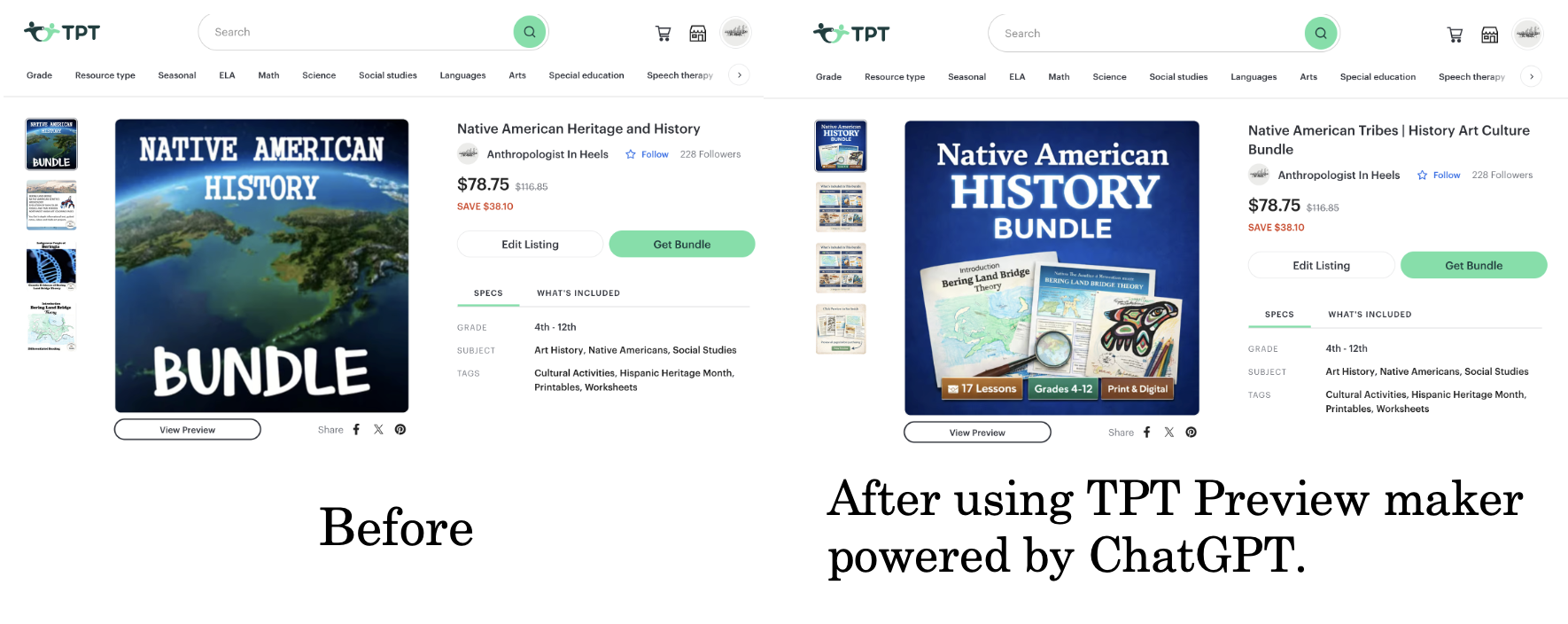
The image below shows a resource I recently updated using this process. What I do next is look at my analytics—specifically pageviews versus preview clicks. If I have a lot of pageviews but only half as many preview views, I know something is wrong with my pageview images.
That’s where this model really shines.
It identifies why buyers aren’t clicking the preview and tells me exactly what needs to be fixed. At that point, I know the problem isn’t my product—it’s my pageviews.
And that’s a powerful thing to know.
👉 Get this custom TPT Preview Maker now —> LINK
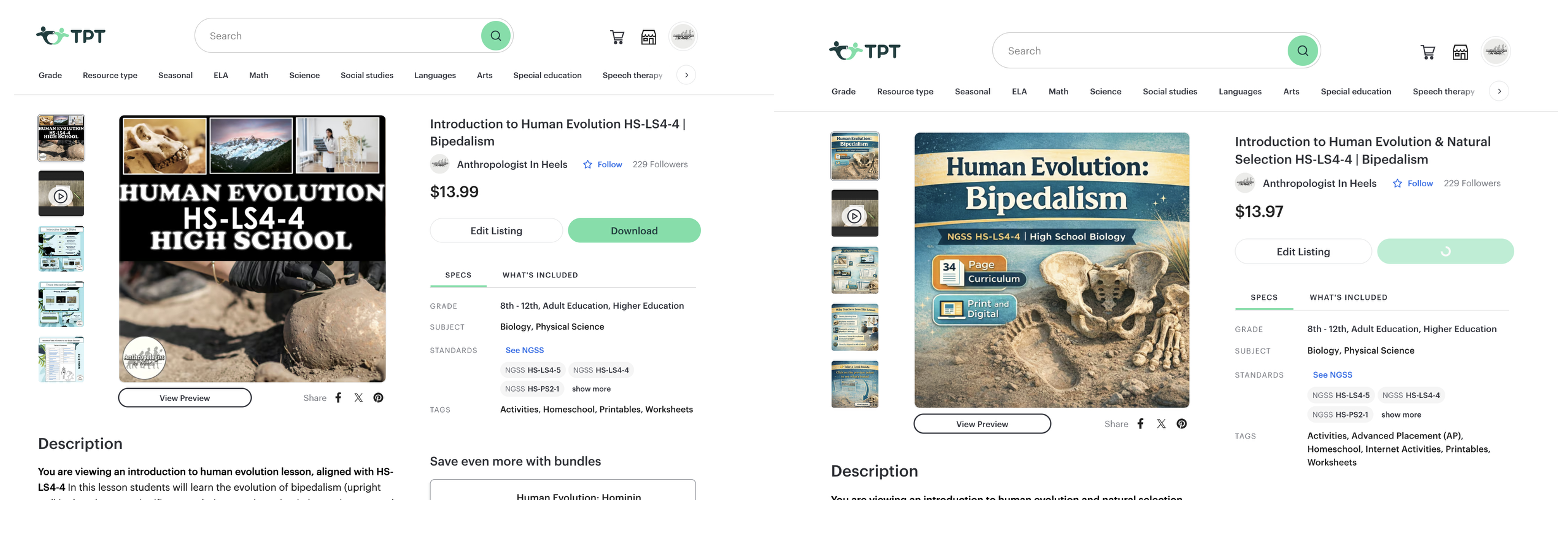
When you look at the image on the left, it’s immediately clear that it’s older and doesn’t stop the scroll—it blends in instead of standing out. The changes my AI model made are obvious when you compare it to the image on the right. The title is instantly readable at thumbnail size, the product identity is clear, and the value is communicated visually before a buyer reads a single word of the description. Rather than forcing the viewer to think or hunt for information, the pageview answers key questions right away: what the resource is, who it’s for, what’s included, and why it’s worth clicking. The visual hierarchy guides the eye naturally, the icons support fast scanning, and the layout subtly directs attention toward the preview button—something the left image never accomplishes. This is the difference between a pageview that simply exists and one that actively converts. The AI didn’t make the design flashier; it made it clearer—and clarity is what turns views into sales.
I’ve been using this AI model to update my product previews and pageviews, and honestly, not every image comes out perfect on the first try—and that’s fine. When something doesn’t quite work, I just re-prompt it, give it a little more direction, or sometimes even ask it what it thinks could be improved. I’ll push it to think differently using the internal knowledge I’ve built into it, and that usually does the trick. What’s surprised me most is how consistent it’s been. With a bit of back-and-forth, it keeps giving me solid, sales-ready pageviews. It’s not magic, but it is reliable—and that reliability has made updating my resources so much easier.
You can always check out the Free Preview: TPT Seller Tools | Custom ChatGPT Preview Maker for Marketing